ZWCAD: professional 2D CAD software compatible with DWG
ZWCAD is professional 2D CAD software, compatible with the DWG format and designed for designers, engineering firms, and businesses. It offers an intuitive working environment, advanced drawing tools, and features to improve productivity and compatibility with existing CAD workflows.
It supports major CAD formats and allows you to work, edit and share DWG and DXF drawings while maintaining a familiar interface and high compatibility with existing files.
Main ZWCAD functionalities
Compatible with DWG and other format
Work seamlessly with DWG, DXF, DWT, and other common file formats, enabling seamless collaboration across industries.
Perpetual license
ZWCAD's perpetual license allows you to use the software without the obligation of a recurring subscription, offering a simple and predictable purchasing model over time.
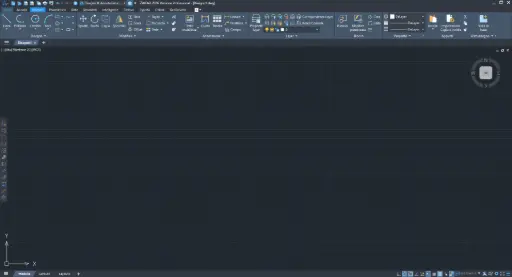
Familiar and flexible interface
Whether you prefer the Classic or Ribbon interface, Dark or Light mode, ZWCAD offers an intuitive environment that allows you to start working right away.

Parametric Design
Apply geometric and dimensional constraints to objects for rapid changes to dimensions and shapes.
Novità
ZWCAD 2027: novità della nuova versione
A path of continuous growth, built on real needs
Would you like to test ZWCAD?
Test the compatibility with your DWG, performance and work directly with your files.
What you will get
Known interface
Updates always available
Savings and precision
Frequently asked questions
Answers to commonly asked questions about ZWCAD licensing, compatibility, file formats, and system requirements.
Of course! Contact us to receive your free trial of ZWCAD.
Yes. ZWCAD allows you to open, edit, and save DWG files and is designed to integrate into existing CAD workflows. It also supports other formats used for exchanging and managing technical drawings.
Our proposal is usually geared towards permanent licenses, which are typically preferred by customers. However, it is possible to opt for a rental solution.
You can install ZWCad on as many PCs as you want at the same time. You cannot use one license on multiple PCs at the same time, but you can return the license by deactivating it and activating it on the second machine. (License return / License activation).
DWG, DXF, DWF 3D, DWFx 3D, DWS, DWT.
Minimum system requirements
- Windows 7 SP1 or later
- Intel Pentium 4 1.5 GHz or equivalent AMD processor
- 2 GB RAM
- 1 GB graphics card with OpenGL 4.2 support
- 1024 × 768 display
- At least 2 GB free space
Recommended system requirements
- Windows 10 or Windows 11
- Intel Core i5-10400 / AMD Ryzen 5 3600 or higher
- 8 GB RAM or more
- 2 GB graphics card or more, OpenGL 4.2+
- 1920 × 1080 display