WiCAM PNBend
PNBend is the software for advanced sheet metal bending programming, designed to quickly transform 2D/3D models into reliable bending programmes.
Thanks to simulation and verification functions, PNBend helps to prevent collisions and to control the feasibility of the process. The result is faster programming, greater operational safety, and more efficient production.
The features that set us apart
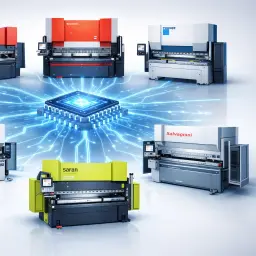
Multi-brand compatibility
Supports numerous manufacturers of bending presses, ensuring maximum flexibility for mixed departments and hybrid production systems.

Process optimisation
Real-time simulations, collision management, and sequence verification help to prevent unforeseen events and ensure the best possible bending cycle.
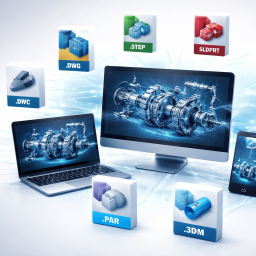
Import of all native 3D files
PNBend is capable of importing all the major 3D CAD formats available on the market without the need for any converters or licenses for other software.
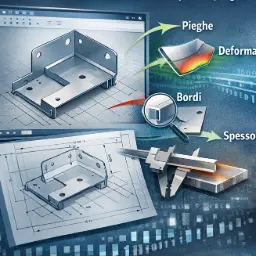
Automatic CAD analysis
PnBend automatically analyses and interprets 3D and 2D models, detecting bends, edges, and thicknesses to generate precise and error-free machine programmes.
News
A continuous growth journey, built on real needs.
PnBend is the choice for those seeking precision, speed, and reliability in bending operations.
Discover how it can also revolutionise your production process.
What will you get
Reduction of downtime
Minor waste in folding
Optimised equipment
Answers to frequently asked questions
In this section, it is possible to effectively answer the most common questions.
PNBend can support all bending machines, including those with outdated numerical control.
Obviously, if the control does not support programming, it will still be possible to carry out the simulation in the office, but the programming information can only be transferred to the machine via a paper production report.
Certainly. Any bending machine equipped with a programmable CNC can be managed within our software, regardless of how old the machine's mechanics are.
We can import all the native formats of the main 3D CAD systems, both individual parts and assemblies.
Assemblies can be broken down in such a way as to analyse the individual parts one by one.
Yes, within the software it is possible to import 3D files of any type of tool you wish.
On some machines, the display of the 3D simulation synchronised with the bending operations is already set up.
If the control does not support this function, it is possible to set up a workstation next to the machine to run our software and view the simulation.